Let’s be honest. Renting a tiny digital closet from a big tech company gets old. Monthly fees, privacy worries, and the nagging feeling that your photos, documents, and movie collection aren’t truly yours. What if you could build your own? A personal cloud storage and media server isn’t just for tech wizards anymore. It’s about reclaiming your data and creating a seamless, secure hub for your digital life. Think of it as building your own library and cinema—where you control the keys.
Why Bother? The Case for Taking Control
Sure, Google Drive and Netflix are convenient. But convenience has a cost. A personal cloud server solves specific pain points: no more subscription creep, no arbitrary storage limits, and no algorithms scanning your family videos. You get raw, unfettered access to your files from any device, anywhere. Plus, streaming your own media library in pristine quality, without compression, is a game-changer for movie nights.
Gathering Your Tools: Hardware & Software Choices
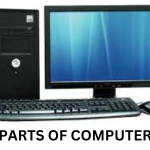
You don’t need a supercomputer. An old desktop, a mini-PC, or a dedicated NAS (Network-Attached Storage) device can be the heart of your system. The goal is a low-power, always-on machine. For software, open-source platforms are your best friends. Here’s a quick breakdown:
| Purpose | Popular Software Options | Good For… |
| Cloud Storage & Sync | Nextcloud, ownCloud, Seafile | Dropbox/Google Drive replacement, calendars, contacts. |
| Media Server & Streaming | Plex, Jellyfin, Emby | Organizing and streaming video, music, photos to TVs. |
| Operating System | Ubuntu Server, TrueNAS Scale, Unraid | The foundational OS that runs everything. |
My advice? Start simple. For a true DIY media server beginner, a combo of Ubuntu Server with Docker (to neatly containerize apps) is incredibly flexible. Jellyfin is a fantastic, free alternative to Plex if you want to avoid any premium features. But Plex’s polish is hard to beat, you know?
The Setup: Walking Before You Run
Alright, let’s dive in. I’ll outline the core steps—this isn’t a full command-line tutorial, but a map of the territory.
1. Install the Base Operating System
Download your chosen OS (like Ubuntu Server) and create a bootable USB. Plug it into your server hardware, install, and follow the prompts. The key step here: setting up a static IP address for your server on your local network. This ensures it doesn’t wander off with a new address every time your router restarts.
2. Install Your Cloud Service (Nextcloud Example)
Using the command line, you can install Nextcloud with a few commands. It involves setting up a web server (like Apache or Nginx), a database (MySQL), and PHP. Sounds scary? It’s mostly copy-paste. The installer wizard then guides you through creating an admin account and pointing it to your storage drives.
3. Install Your Media Server (Plex/Jellyfin)
Again, installation is straightforward via command line or Docker. The real work is pointing the media server to your folders—’Movies’, ‘TV Shows’, ‘Music’. Both Plex and Jellyfin will then scrape the internet for artwork, metadata, and descriptions, magically turning your folder of video files into a beautiful streaming catalog.
Security: Locking the Digital Doors
This is the non-negotiable part. Exposing a server to the internet is like building a house—you need solid walls, not just a nice couch. A secure home server setup hinges on a few critical practices.
Fortify Your Local Network
Start at home. Change your router’s default admin password. Ensure your server’s firewall is enabled, only allowing traffic on necessary ports (like 443 for HTTPS). Segment your network if you can—put your server on a different VLAN from your smart TVs and IoT devices. It’s like having a separate, more secure wing in your house.
Secure Remote Access (The Right Way)
You want to access your files from the coffee shop. The worst way? Just forwarding a random port from your router. The best way? Use a VPN into your home network (WireGuard is modern and brilliant) or a reverse proxy like Nginx Proxy Manager. A reverse proxy acts as a single, fortified gatekeeper for all your services, handling SSL certificates and fending off bad traffic.
Non-Negotiable Security Habits
- Strong, Unique Passwords & 2FA: Every service, every admin account. Use a password manager. Enable Two-Factor Authentication wherever possible. It’s the deadbolt on your digital door.
- Regular Updates: Software updates patch security holes. Set up automatic updates for your OS and critical applications. It’s basic hygiene.
- Backups, Backups, Backups: Your server is not a backup. The 3-2-1 rule is gospel: 3 total copies, on 2 different media, with 1 offsite. An external drive for local backups and a cloud backup for critical data is the bare minimum.
The Human Touch: Making It Yours
Once the basics hum, the fun begins. This is where your personal cloud storage becomes, well, personal. Install the Nextcloud or Plex app on your phone. Set up automatic photo uploads from your family’s devices into a shared folder. Use the calendar and contact sync. Create themed movie collections for rainy days or holiday seasons.
You’ll hit snags—a permission error, a scanner that won’t find a show. The community forums for these projects are incredibly helpful. The tinkering, honestly, is part of the reward. It’s a system that grows and adapts with you, not the other way around.
Final Thoughts: More Than Just Storage
Building this isn’t just a technical project. It’s a quiet declaration of digital independence. In a world where our data feels increasingly borrowed, maintaining a private server is an act of curation—and a little bit of defiance. It’s slower, sometimes messier than clicking “subscribe.” But the payoff is a space that’s entirely yours, evolving at your pace, shaped by your needs. You’re not just storing files; you’re building a home for them.