Let’s be honest. The classic image of a powerful PC—a roaring jet engine of fans and LEDs—doesn’t exactly mesh with the creative flow. When you’re deep in a timeline, recording a voiceover, or live-streaming, the last thing you need is a distracting whirr or coil whine in the background. It’s not just about comfort; it’s about professionalism.
That’s why the quest for a silent, high-performance PC build is more than a niche hobby. For content creators, it’s a game-changer. Here’s the deal: silence and power aren’t mutually exclusive. You just need to think differently about where the noise comes from and, well, how to strategically smother it.
The Core Philosophy: It’s About Heat Management
Noise, in a PC, is almost always a byproduct of moving air to cool components. The faster the fans spin, the louder they get. So the silent PC mantra is simple: generate less heat, move air more efficiently, and absorb what noise remains.
Think of it like a library. You don’t stop people from talking; you design a space that encourages quiet and has great soundproofing. Your PC case is that library. Your components are the patrons.
Choosing the Right Components for a Quiet Creative Workstation
The Case: Your First and Best Soundproofing
Don’t skimp here. A good silent-focused case is built like a tank, with dense acoustic foam lining the panels, vibration-dampened mounts, and intelligently designed airflow channels. Look for brands like be quiet!, Fractal Design, or Nanoxia. Key features? Solid, foam-padded side panels (not tempered glass on all sides, honestly), and doors that seal tight.
CPU & Cooling: The Heart of the Matter
For creators, a powerful multi-core CPU (like an Intel i7/i9 or AMD Ryzen 7/9) is non-negotiable for rendering and encoding. But these chips can get toasty. You have two main paths:
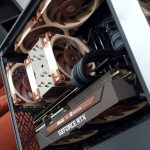
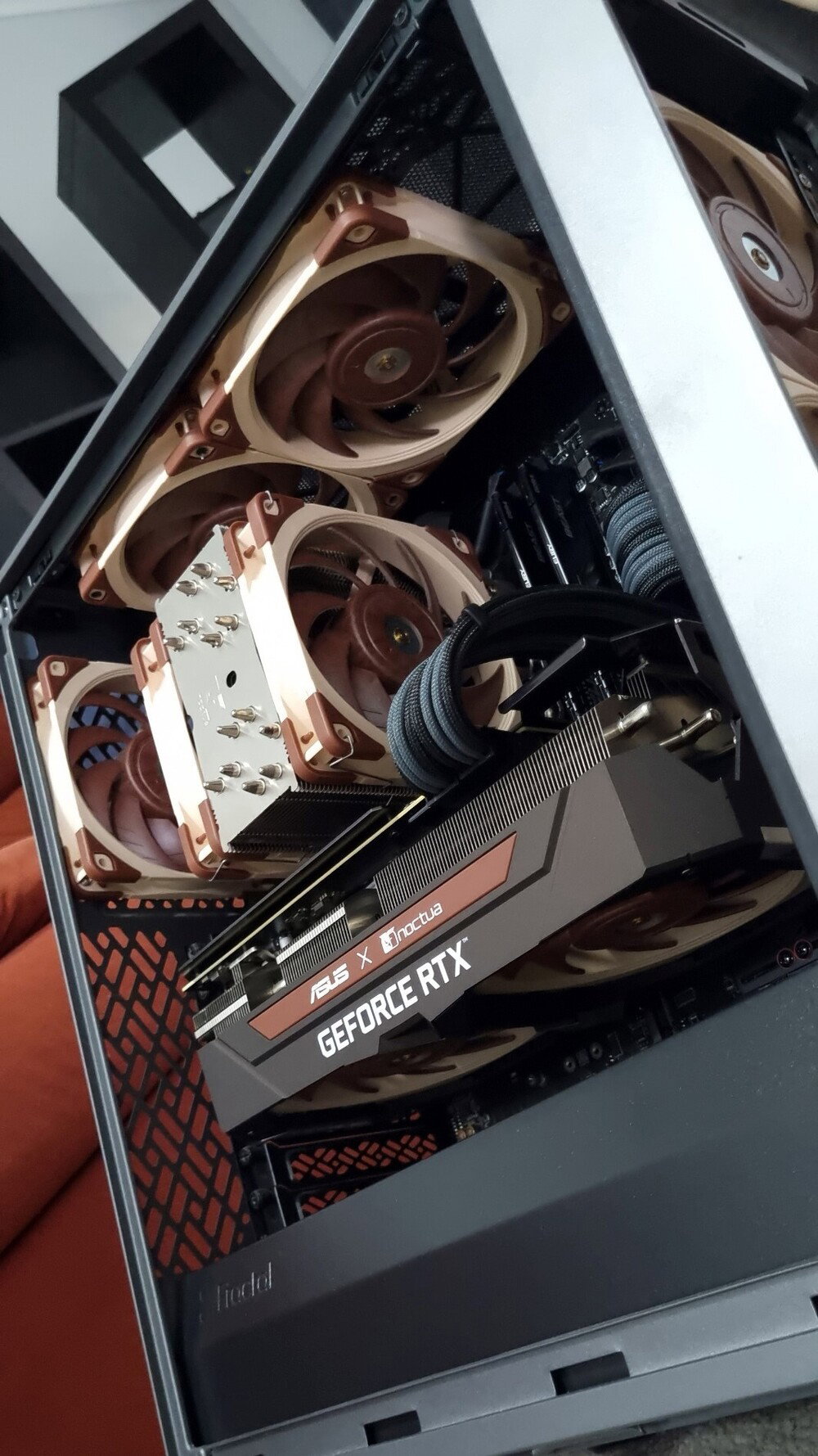
- High-End Air Cooling: Massive heatsinks from Noctua or be quiet! with slow-spinning, large-diameter fans. They’re incredibly reliable and often outperform many all-in-one liquid coolers in both thermals and noise.
- All-in-One (AIO) Liquid Cooling: A 280mm or 360mm radiator gives you a lot of surface area to dissipate heat. The trick? You can set the fans to a near-silent, fixed low speed because the radiator does the heavy lifting. Just be aware of potential pump noise—research quiet models.
The Graphics Card: The Trickiest Component
Your GPU is crucial for video editing, 3D work, and of course, gaming. Under load, its fans are the usual culprits. The solution? Look for models with an “open-air” cooler and a “zero-RPM” or passive fan mode. At idle or light loads (like editing), the fans don’t spin at all. Dead silent.
For heavy loads, you can also create a custom fan curve in software like MSI Afterburner. Set the fans to spin much slower until the GPU hits a certain temperature threshold. It might run a few degrees warmer at idle, but the noise reduction is profound.
Power Supply: The Unsung Hero
A noisy, cheap PSU fan can ruin everything. Invest in a unit with a “silent” or “hybrid” mode, where the fan only kicks on under high load. And get one with more wattage than you strictly need. A 750W PSU running at 50% capacity is quieter and cooler than a 550W unit running at 80%.
Storage and Memory
This is easy: NVMe SSDs. They have no moving parts. Fast, cool, and completely silent. For bulk storage, if you need a hard drive, look for “low RPM” or “NAS” drives (like 5400 RPM WD Reds) and mount them using silicone grommets to isolate vibration. Better yet, use an external drive for archives.
Optimization: The Software and Setup Tweaks
Building it is half the battle. Now, let’s make it whisper.
Fan Curve Tuning: Your Master Knob for Silence
Don’t just use the default “Standard” fan profile in your BIOS. Dive into the hardware monitor section. The goal is to create a curve where fans spin at a very low, inaudible speed (like 20-30%) until the CPU hits, say, 60°C. Then, ramp up gradually. Modern components are safe running warm. A CPU at 70°C under load is fine and lets you keep fans low.
Undervolting: A Secret Power Move
This sounds technical, but it’s worth it. Undervolting means slightly reducing the voltage supplied to your CPU or GPU. It lowers temperatures significantly without hurting performance—sometimes it even stabilizes performance by preventing thermal throttling. Less heat means slower fans. Tools like Intel XTU or AMD Ryzen Master make this surprisingly accessible.
Case Fan Strategy: Pressure and Placement
You want positive air pressure—slightly more intake than exhaust. This prevents dust from being sucked in through every crack. Use two or three slow-spinning, high-quality 140mm fans in the front as intake. One 140mm exhaust fan in the rear is plenty. This creates a smooth, lazy river of air through the case, not a turbulent wind tunnel.
A Sample Component Table for a Balanced Build
| Component | Silent-Focused Recommendation | Why It Works for Creators |
| Case | Fractal Design Define 7 | Legendary sound dampening, modular layout, excellent airflow channels. |
| CPU Cooler | Noctua NH-D15 | Dual-tower air cooler that rivals AIOs. Comes with famously quiet fans. |
| GPU | ASUS TUF Gaming (with 0dB tech) | Robust cooling that stays passive until needed. Great for editing and rendering. |
| Power Supply | Seasonic Prime TX-750 | Fanless mode up to medium loads. Top-tier efficiency runs cool. |
| Case Fans | be quiet! Silent Wings 4 (140mm) | Extremely low noise even at higher RPMs, perfect for creating that smooth airflow. |
The Final Touch: Mind Your Environment
Even the quietest PC won’t help if your microphone is picking up ambient room noise. Pair your silent build with some basic acoustic treatment—a foam panel on the wall behind your mic, a thick rug on the floor. It all adds up to that crisp, professional audio quality your audience deserves.
In the end, building a silent PC for content creation is a deeply satisfying project. It forces you to understand the synergy between hardware and software, between power and peace. You’re not just assembling parts; you’re crafting a tool that disappears, leaving only you and your creative process in a bubble of focused quiet. And in a world that’s constantly buzzing, that quiet space might just be your greatest asset.