Let’s be honest. Using a mainstream operating system can feel a bit like living in a house made of glass. Your daily routines, your files, even your idle browsing habits—they’re all visible to someone. The company that made the OS, the apps you’re forced to use, advertisers… it’s a long list.
That’s where the world of privacy-focused operating systems and secure computing environments comes in. Think of it as trading that glass house for a well-designed fortress. One with curtains, a solid door, and you holding the only key. This isn’t just for hackers in basements anymore. It’s for anyone who values their digital autonomy.
Why Your Default OS is a Data Sieve
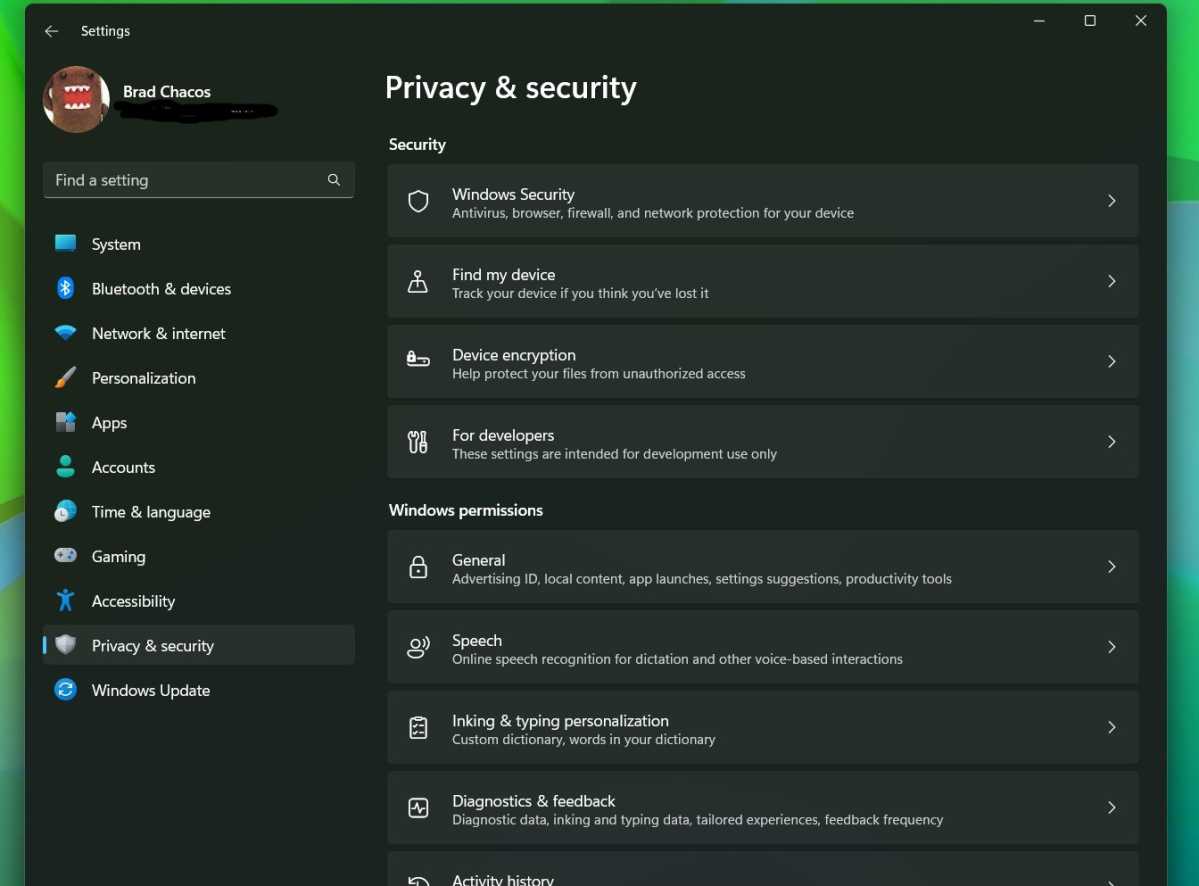
Mainstream systems, we’re looking at you Windows, macOS, and even standard Android, are built for convenience and, let’s face it, profit. Data collection is a feature, not a bug. Telemetry, bundled software, cloud integrations that sync everything by default—they create a persistent digital footprint that’s hard to erase.
Here’s the deal: a secure computing environment starts at the foundation. You can’t build a private life on a leaky base. That foundation is the OS.
The Contenders: A Tour of Privacy-Centric OS Options
Diving in, you’ll find a spectrum. From versions of Linux that are hardened for security to systems designed from the ground up to be invisible. The choice depends on your threat model—are you avoiding ad tracking, or are you a journalist protecting sources?
Linux Distros: The Customizable Fortress
Most privacy-focused operating systems are Linux distributions (“distros”). Linux is open-source, meaning thousands of eyes scrutinize the code for backdoors. It’s a community effort, not a corporate product.
- Qubes OS: This is the gold standard for security through isolation. It uses “compartmentalization.” Imagine your digital life split into securely partitioned cubes (or VMs). Work in one, personal browsing in another, risky downloads in a disposable third. If one cube is compromised, the others remain safe. It’s demanding on hardware and has a learning curve, but for true security, it’s unparalleled.
- Tails (The Amnesic Incognito Live System): The “leave no trace” option. Tails runs from a USB stick, using your computer’s RAM instead of the hard drive. When you shut down, it forgets everything. It forces all internet traffic through the Tor network. Perfect for, well, sensitive work or just avoiding any local trace. It’s not for daily driving your main PC, but as a tool, it’s incredibly powerful.
- Whonix: Similar in goal to Tails but designed for permanent installation. It’s two virtual machines: a “Workstation” and a Tor “Gateway.” All network traffic must go through Tor. This design prevents IP leaks even if the workstation gets malware. A robust setup for a persistent secure environment.
Mobile: Taking Back Your Pocket
Our phones are tracking beacons. Alternatives exist.
- /e/OS or GrapheneOS: These take different paths. /e/OS is a de-Googled Android fork, focused on privacy and replacing all Google services with open alternatives. It’s user-friendly. GrapheneOS, on the other hand, is about hardening security on Google Pixel hardware. It improves the sandboxing of apps and the OS itself while still allowing optional use of Google Play (in a severely restricted way). It’s for those who want top-tier mobile security without living entirely off-grid.
Building Your Secure Computing Environment
An OS is just the start. The environment around it matters just as much. Think of it as the moat, walls, and gatekeepers of your fortress.
| Component | Purpose | Examples/Tools |
| Encryption | Scrambles data so it’s unreadable without a key. | Full-disk encryption (LUKS on Linux, FileVault on Mac), VeraCrypt for containers. |
| Network Privacy | Hides your traffic & location. | VPNs (trusted providers), Tor browser for anonymous access. |
| Application Sandboxing | Isolates apps to limit damage if compromised. | Flatpak/Snap packages (Linux), Qubes OS compartments, GrapheneOS’s enhanced sandboxing. |
| Mindful Practices | Your behavior is the biggest variable. | Using password managers, enabling 2FA, questioning app permissions, updating software. |
Honestly, the tools are only half the battle. The other half is shifting your mindset. Question every permission request. Prefer open-source software where the code can be audited. Assume that “free” services are paid for with your data.
The Trade-Offs: Convenience vs. Control
This is the elephant in the room. Moving to a privacy-focused operating system often means sacrificing some polish. Your favorite proprietary photo editor or video game might not run. Hardware compatibility can be a puzzle. You might spend an afternoon getting your Wi-Fi card to work.
That said, the landscape is improving. Many Linux distros are shockingly user-friendly now. And the payoff? Immense. You gain transparency, control, and the profound quiet that comes from knowing your digital life is truly your own. It’s the difference between renting and owning.
A Path Forward, Not a Panic
You don’t have to go full Qubes tomorrow. Start small. Try a privacy-focused Linux distro like Linux Mint or Fedora in a “live” mode from a USB. Use the Tor Browser for sensitive searches. Install a privacy-respecting VPN. Each step reduces your attack surface and your data footprint.
The goal isn’t to become a paranoid hermit. It’s about intentionality. It’s about deciding what you share, and with whom. In a world that’s constantly trying to monetize your attention and your personal information, choosing a secure computing environment is a radical act of self-preservation. It’s about building a digital space that respects you, rather than exploits you. And honestly, that’s a feeling no mainstream update will ever provide.